Arvin Sadeli
Game Programmer - Technical Game Designer
# About
Blood Forge is an endless sword fighting game played from a first-person perspective. In order to augment their power and progress through the Dungeon, players must expend their BLOOD (HP) during each wave, all while contending with waves of oncoming Goblins. These Goblins come in four difficulty levels: green, yellow, blue, and red, and as the rounds go on, the probability of encountering tougher Goblins steadily rises.
# Contribution
Contributed to the development of a first-person fighting 3d game with endless gameplay that was created within just three days. The game featured the ability to make upgrades per round. achieved a balance through mathematical and progression systems, and introduced a dynamic multiplier that changed with each round. Responsible for the Program lighting, animation, UI/UX design, VFX and creating a satisfying combat system.
# Summary
So far, this is my project with the shortest deadline, which has trained me to choose effective methods according to the target and execution time. Additionally, almost all the elements we created in this project were our first experiences. I learned a lot from this competition, such as implementing a first-person camera perspective, delving into the "close-range fighting" genre, and creating calculations to ensure that the endless game has progression while remaining balanced. After submitting it to the competition, we won the Game Jam competition organized by the University of Indonesia (the most renowned university in Indonesia) and secured the 1st place.
Specifications
- 3 Days (16h/day)
- Developed in Unreal Engine
- Action, Fighting, Endless Game
- 3D Environment
- First Person
Project Goals
- Creating and implementing chance calculations for the type of enemies that appear to make it endless yet still progressive.
- Generating ideas to make combat mechanics as satisfying as possible.
- Completing the game according to the target game design document on time for submission to a competition.
# Combat System
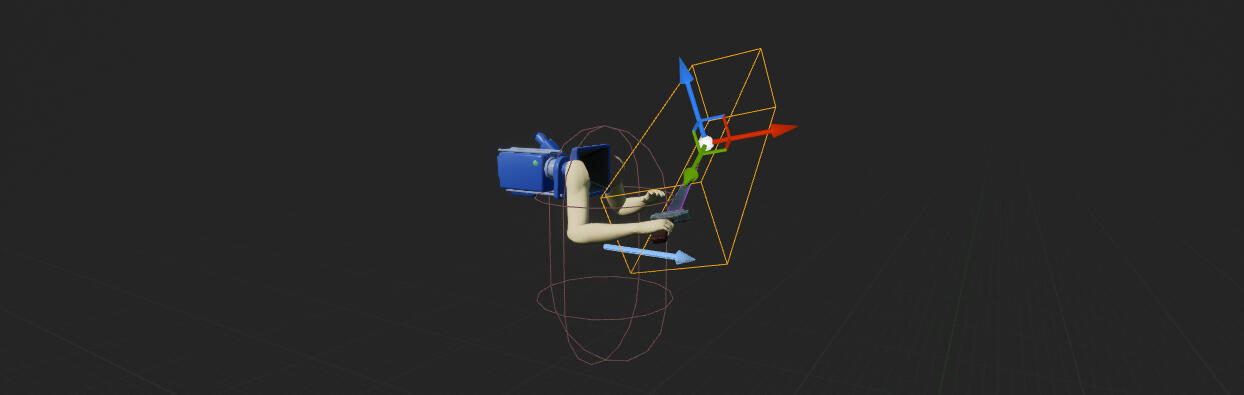
The combat system I've created utilizes box colliders and animation notifications. I decided not to use sphere/line tracing or physical tracing because the requirement was only for when the enemy is hit by the sword, the enemy receives damage, blood visual effects appear randomly, and the animation reaction is also random. So, the necessity did not extend to having the enemy's hit reaction synchronized with the sword's swing.
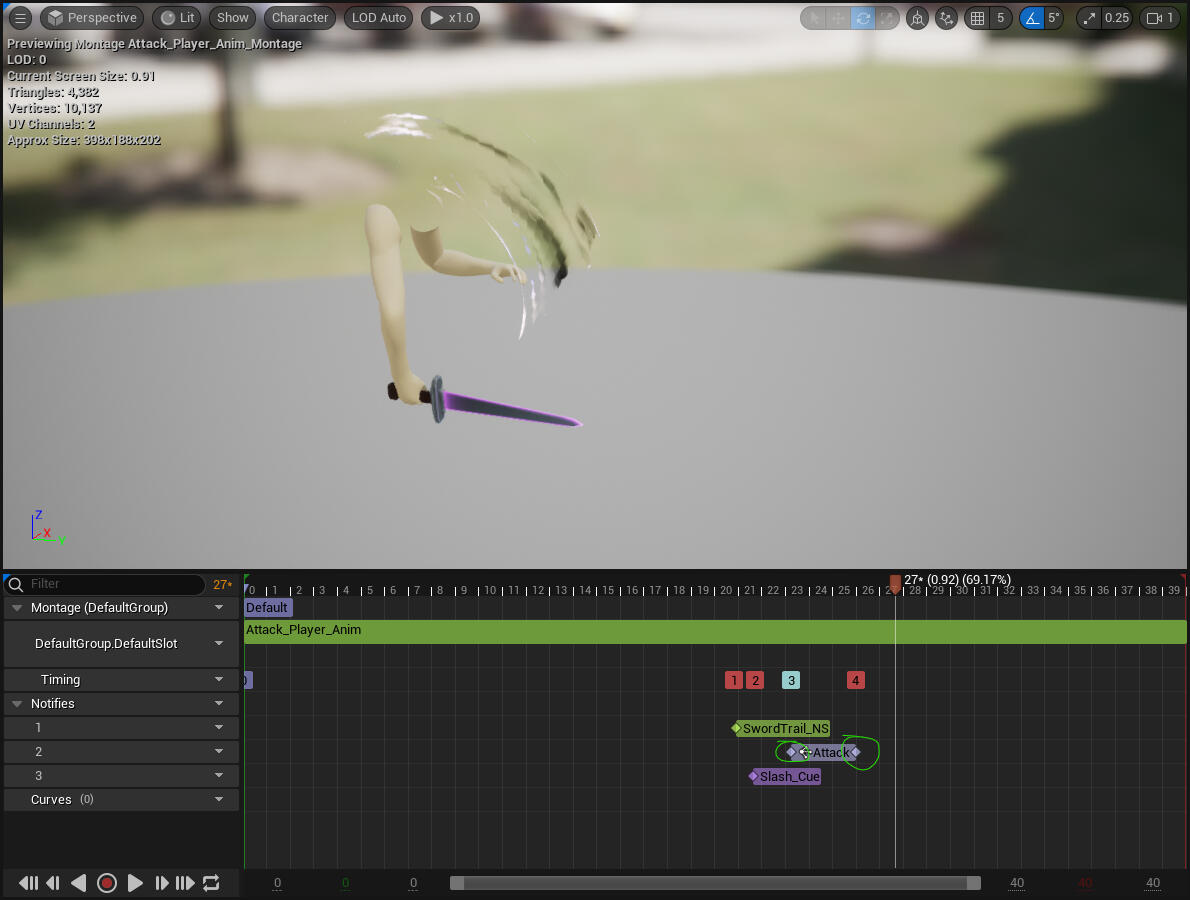
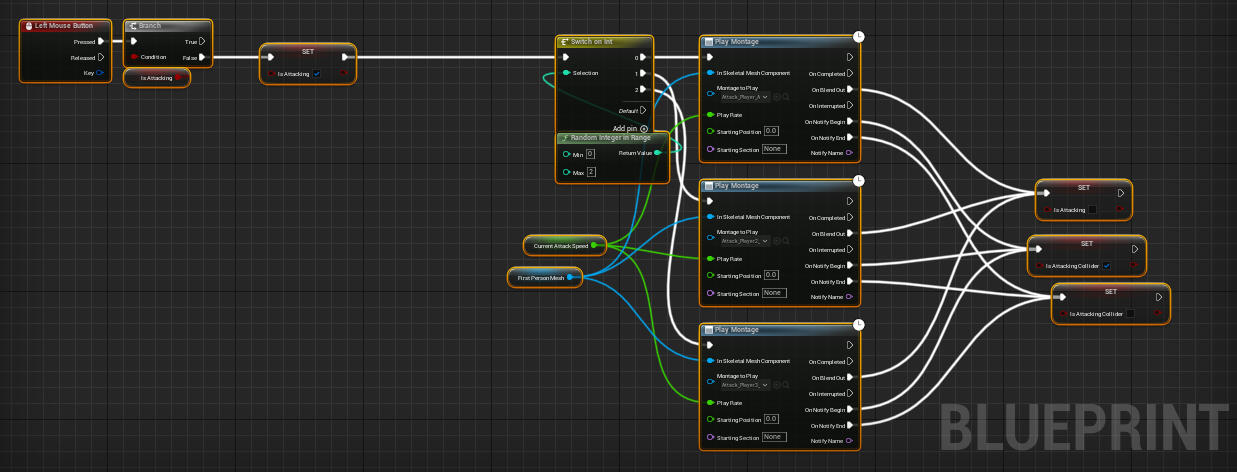
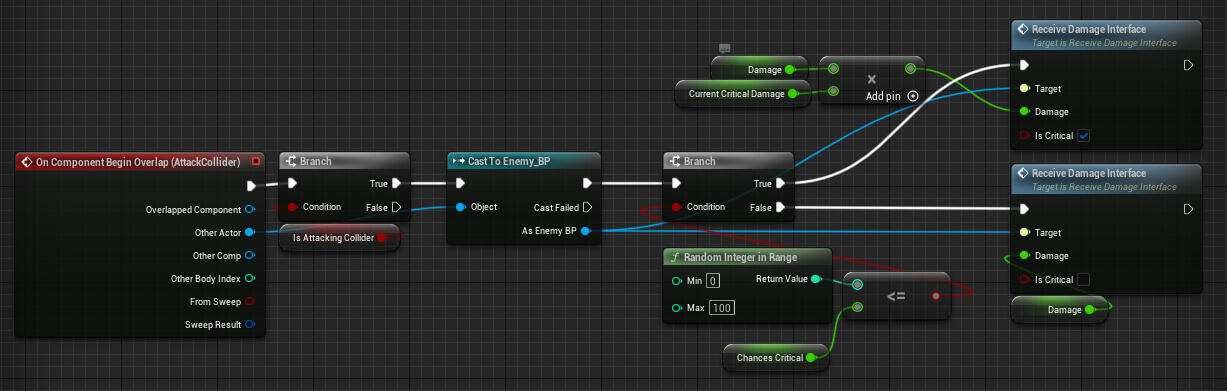
When the player inputs the "Attack" command, check whether the attack animation is currently running or not using the variable "isAttacking." If it's not running, the attack animation will be triggered randomly. Then, when the animation notify is activated, the "isAttackingCollider" variable is set to true. Its purpose is to ensure that when the sword's box collider touches an enemy and "isAttackingCollider" is true, damage will be inflicted upon the enemy. So, "isAttacking" serves the function of preventing the attack animation from being canceled when the player repeatedly inputs the attack command. Additionally, "isAttackingCollider" prevents the player from dealing damage to an enemy when not in an attacking state, even if the sword makes contact with the enemy.
# Satisfying Critical System
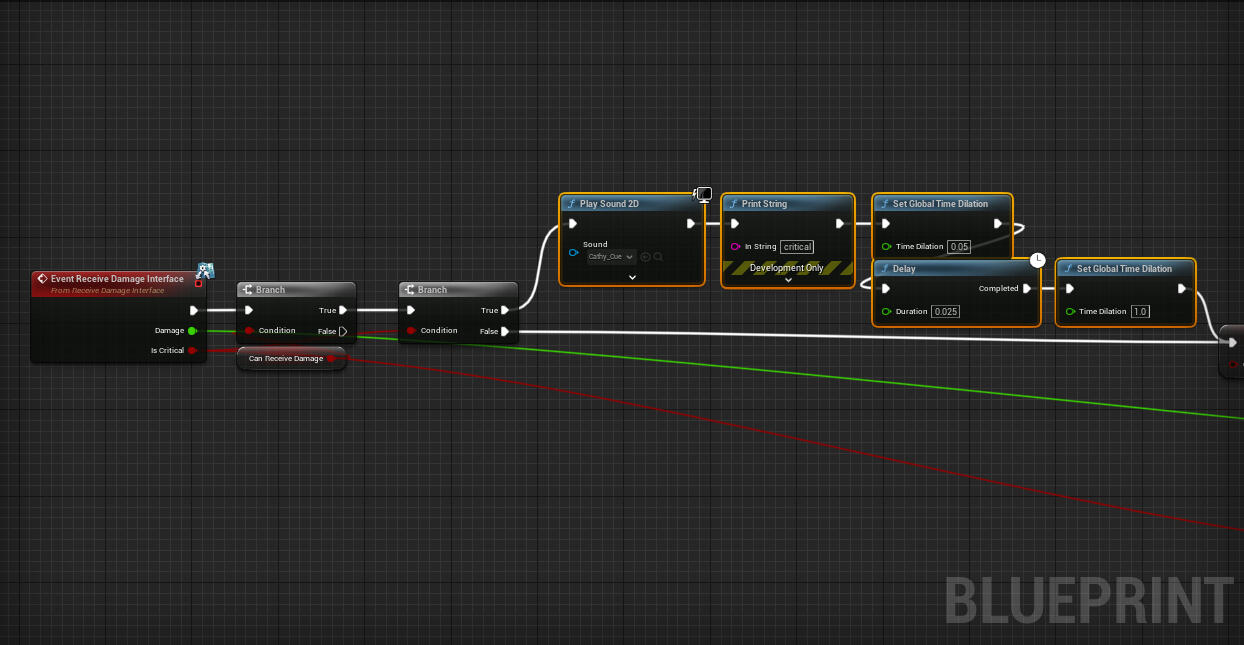
To create a more satisfying combat system, we decided to incorporate slow-motion moments when the sword makes contact with an enemy. However, when we put this into practice, the presence of many enemies or hordes resulted in gameplay that felt less intense due to the frequent use of slow motion. Consequently, we opted to implement slow-motion specifically for critical hits, accomplished by utilizing SetGlobalTimeDilation().
# Enemy
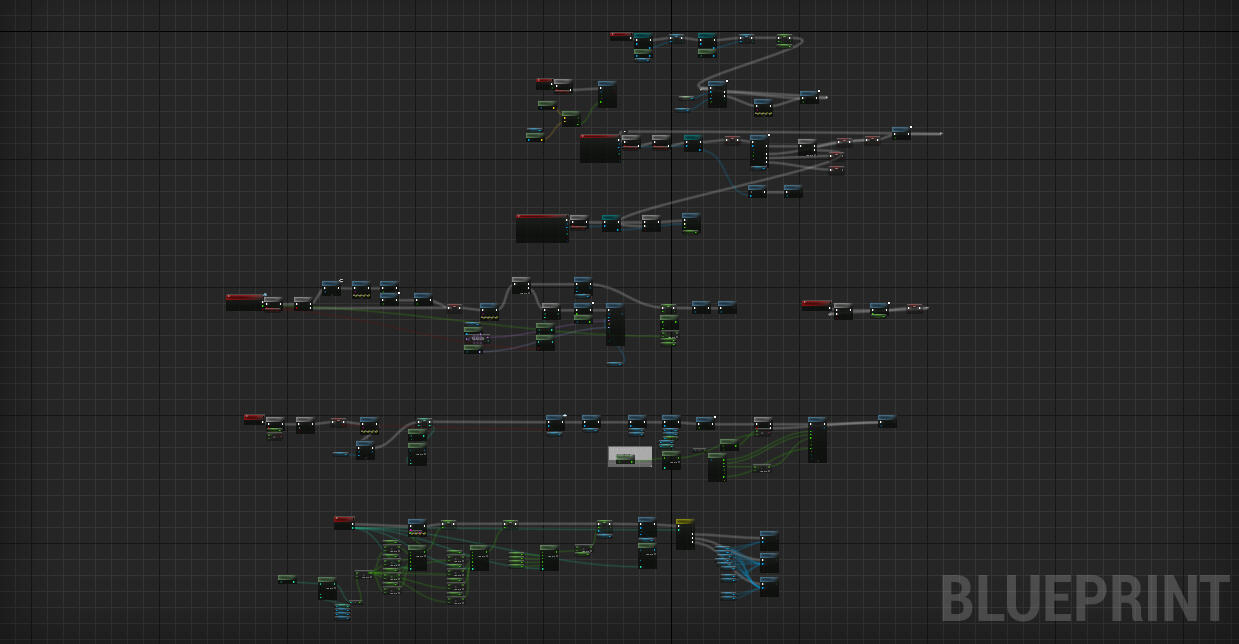
The fundamental logic behind the enemy involves initializing all of its attributes, including damage, health, walk speed, and more, right after it spawns for the first time. It then immediately begins its pursuit of the player. When the player enters the attack range, the enemy initiates the attack animation. Subsequently, during the execution of the animation notification within the attack animation, it verifies if the player is within the enemy's attack range.We intentionally designed it as simple as possible because we aimed to prevent any performance lag when a substantial number of enemies are spawned simultaneously due to their large presence.
# Spawner

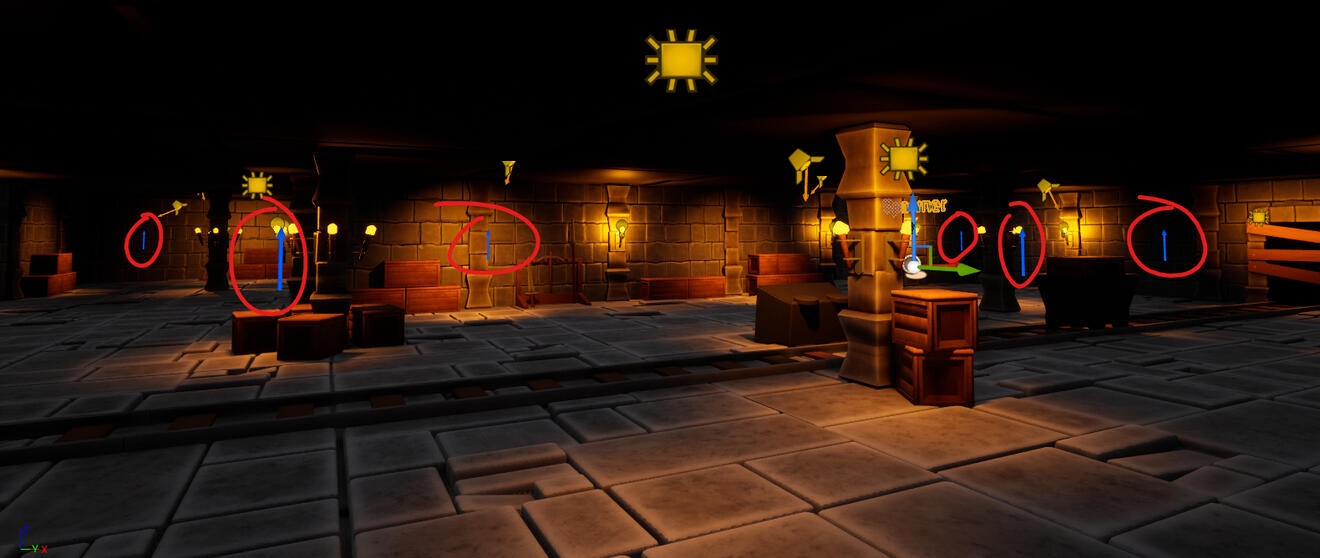
The Spawner Location is obtained from the existing Spawner Reference and then randomized.
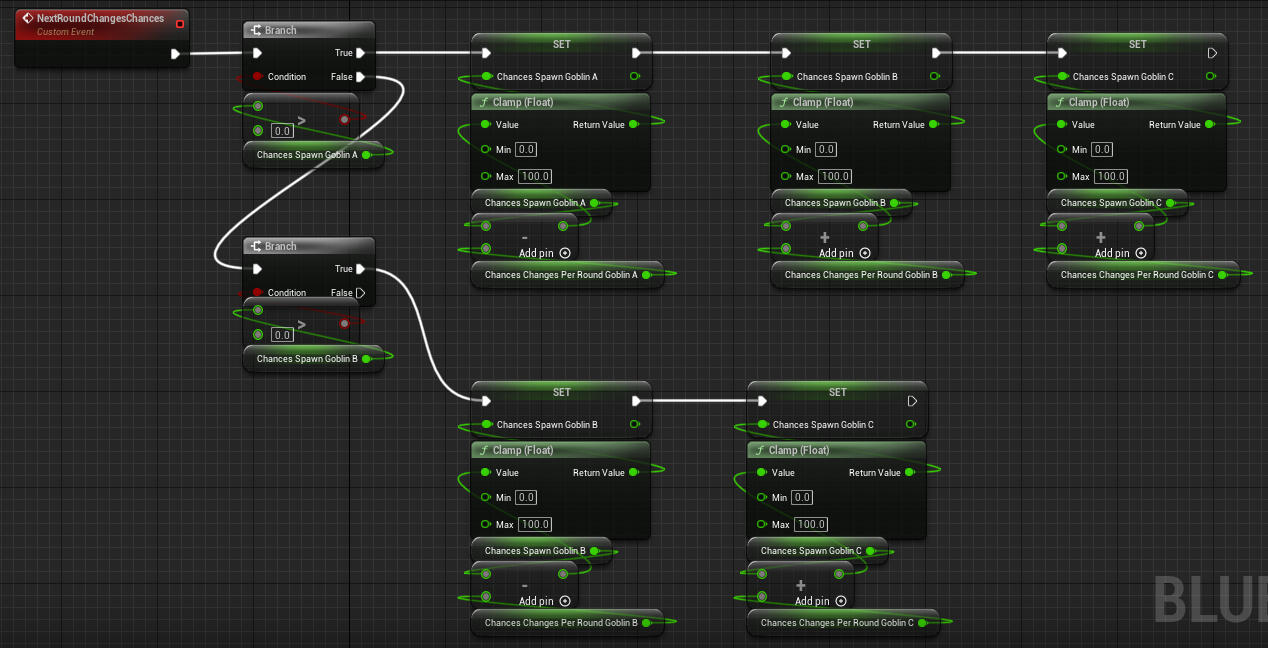
Goblin Spawn Chances:
Initial Goblin Spawn Chances:
Round 1:
firstChancesSpawnGoblinA = 87%
firstChancesSpawnGoblinB = 8%
firstChancesSpawnGoblinC = 4%
firstChancesSpawnGoblinD = 1%Every Round, firstChancesSpawnGoblinA decreases by -2.8%,
while firstChancesSpawnGoblinB increases by +1.4%,
firstChancesSpawnGoblinC increases by +0.9%, and
firstChancesSpawnGoblinD increases by +0.5%.For instance, if firstChancesSpawnGoblinB = 60 / 70%, then firstChancesSpawnGoblinB decreases by -1.4%,
firstChancesSpawnGoblinC increases by +0.9%, and
firstChancesSpawnGoblinD increases by +0.5%.This means:Round 2:chancesSpawnGoblinA = 87% - 2.8% = 84.2%
chancesSpawnGoblinB = 8% + 1.4% = 9.4%
chancesSpawnGoblinC = 4% + 0.9% = 4.9%
chancesSpawnGoblinD = 1% + 0.5% = 1.5%Round 3:chancesSpawnGoblinA = 84.2% - 2.8% = 81.4%
chancesSpawnGoblinB = 9.4% + 1.4% = 10.8%
chancesSpawnGoblinC = 4.9% + 0.9% = 5.8%
chancesSpawnGoblinD = 1.5% + 0.5% = 2%Round 4:chancesSpawnGoblinA = 81.4% - 2.8% = 78.6%
chancesSpawnGoblinB = 10.8% + 1.4% = 12.2%
chancesSpawnGoblinC = 6.7% + 0.9% = 7.6%
chancesSpawnGoblinD = 2.5% + 0.5% = 3%For the enemies that will be spawned, they are randomized based on their spawn chances for each enemy type. At the end of each round, the chances will change, meaning that the spawn chances for the green goblins will gradually decrease, while the chances for the red goblins will progressively increase. Here is the theoretical calculation and its implementation. As we can see, I didn't include chances for 'D' because I derived the chances for 'D' as 100% - (A + B + C)%.Then, in each round, the maximum number of enemies that can spawn will increase, and the spawn cooldown will progressively become shorter.
MultiplierMaxSpawnEnemy: 1.2 (the number of max spawned goblins will be multiplied by 1.2 each round)
Spawn Cooldown Multiplier = 0.95, clamped at 0.35.